
27Webhook
27A 27Communication product

A simple webhook receiver

Catch every webhook.
See it instantly.

A simple receiver for developers. Create a unique URL, send your webhook, and inspect the full request the moment it arrives.

  • No SDK required
  • Ready in under a minute
  • Free to start

Your webhook testing endpoint

Give every webhook
a place to land.

Create a receiver URL, point any webhook provider at it, and see exactly what arrived. 27Webhook keeps the request close while you build and debug.

01

See the request, not a summary

Catch every request as it arrives.

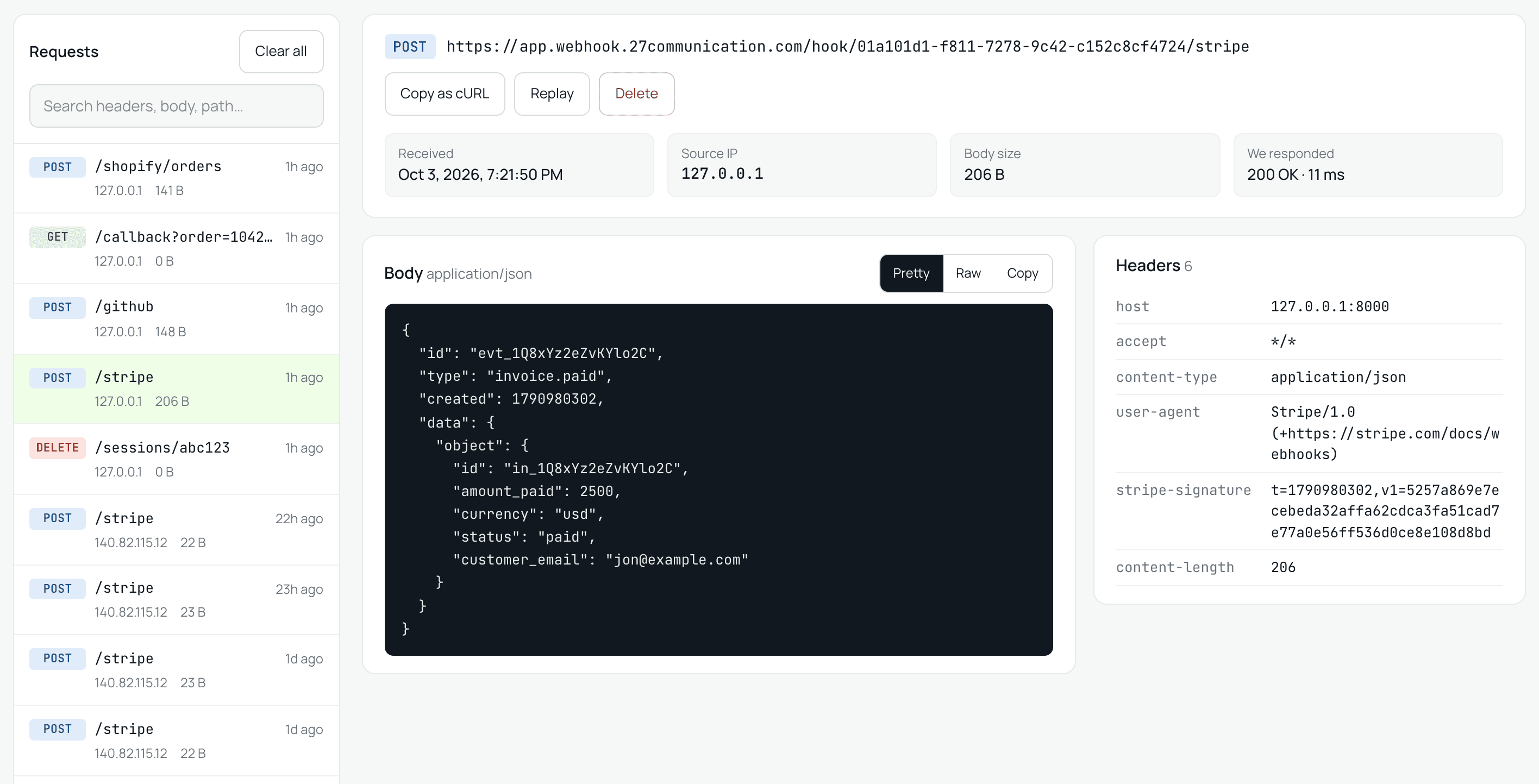
Create a unique receiver URL and every request lands in one calm, searchable list: method, path, source IP and size at a glance.

  • Live list, no refreshing
  • Search headers, body and path
  • Request history you can return to
The 27Webhook inspector: captured requests on the left, and the selected Stripe request with its JSON body first and its headers alongside.
02

Full request visibility

Read every detail that arrived.

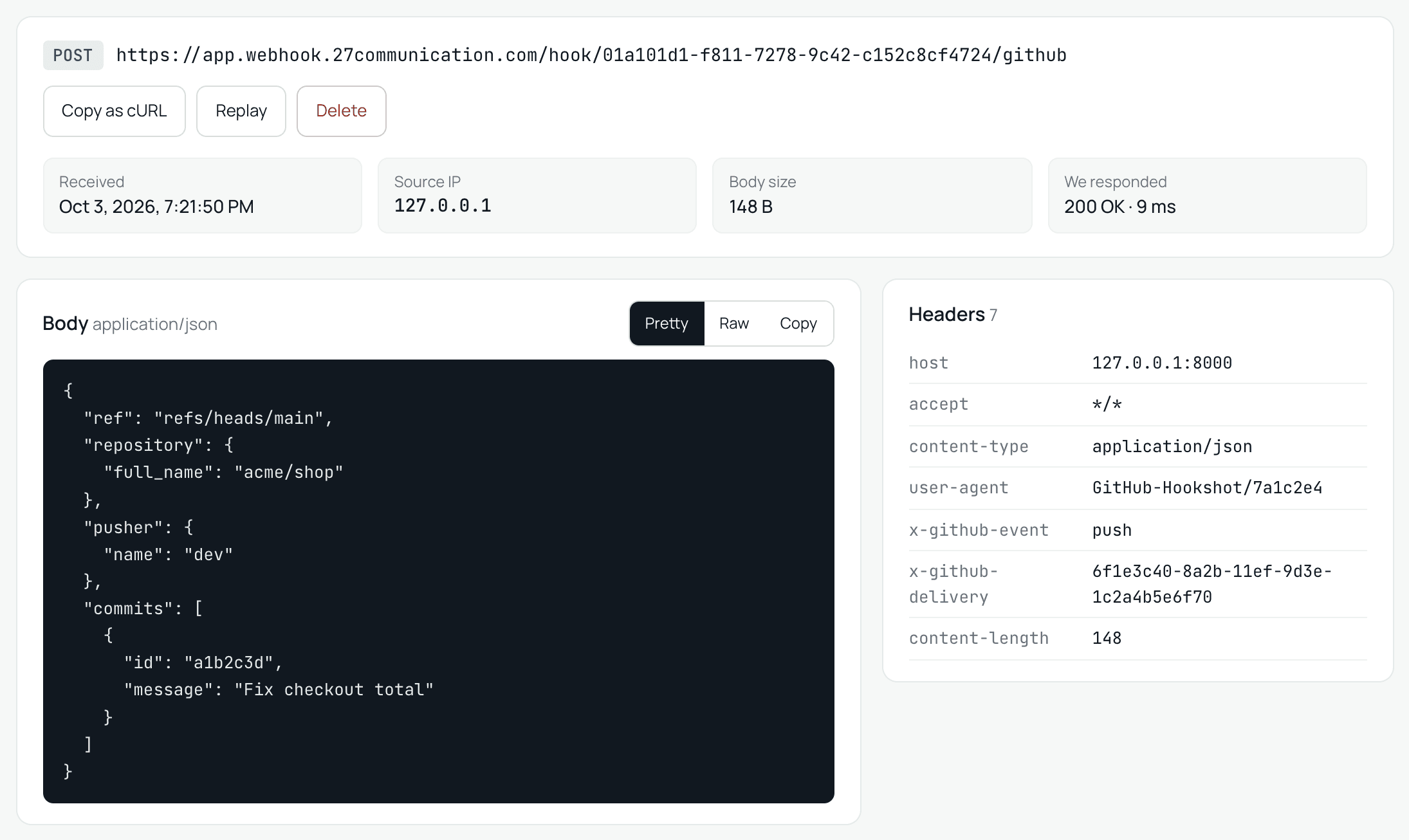
The body comes first, because that is what you came for. Headers sit right beside it on wide screens. JSON is pretty-printed and form data is decoded, so you read it instead of parsing it.

  • Body first, headers alongside
  • Pretty or raw body view
  • Copy as cURL in one click
Request detail for a GitHub push: the pretty-printed JSON body next to its seven headers.
03

Replay

Send any request again, wherever you need it.

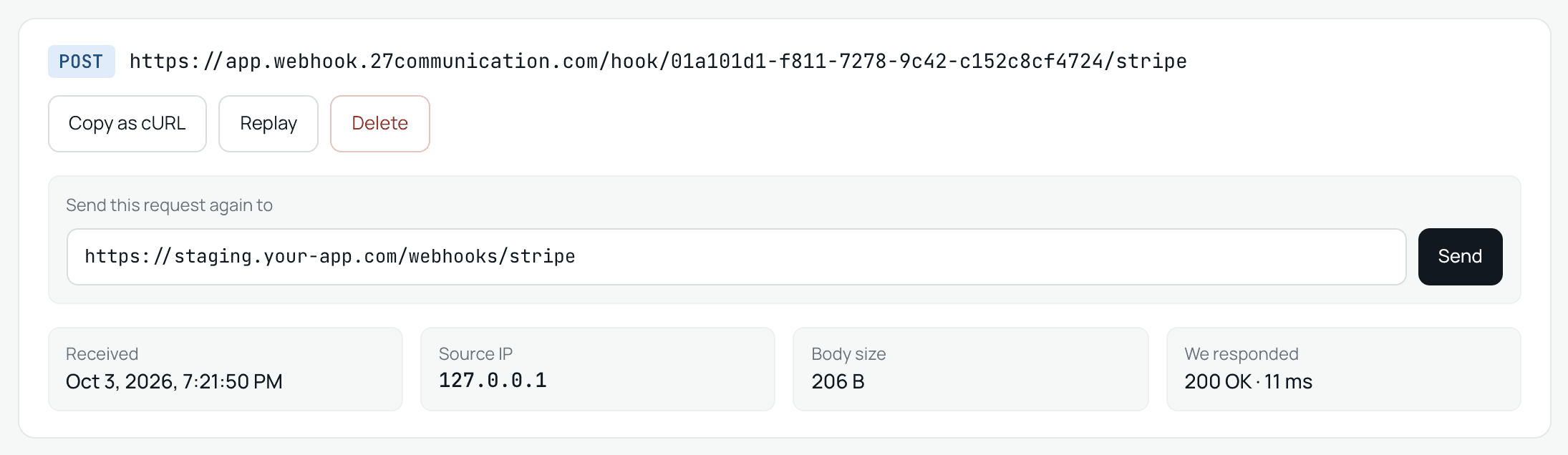
Caught a real webhook? Replay it to your staging or production endpoint with the same method, headers and body, and see the status and timing your server answered with. No need to trigger the event in Stripe or GitHub again.

  • Same method, headers and body
  • See the status code and response time
  • Any public URL: staging, production or a tunnel to localhost
A captured Stripe request with the replay form open, ready to send it again to a staging webhook URL.
04

Control the response

Answer the way your sender expects.

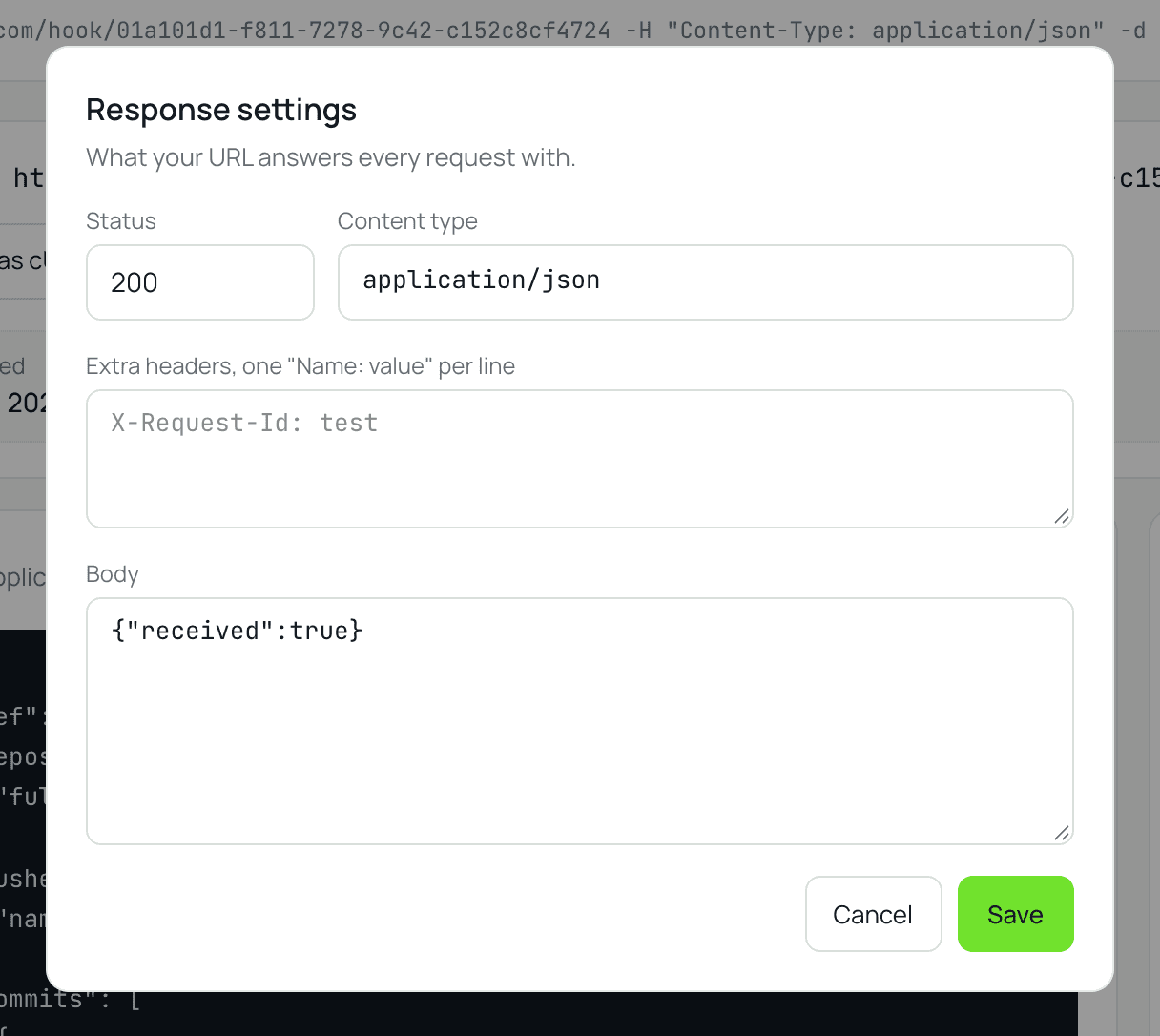
Set the status code, headers and body your URL replies with, to test how a sender handles retries, timeouts and errors before your real endpoint exists.

  • Custom status, headers and body
  • Test retries and error handling
  • Works with every sender
The response settings dialog with status 200, a JSON content type and a response body.
05

Your traffic at a glance

See how your webhooks are doing.

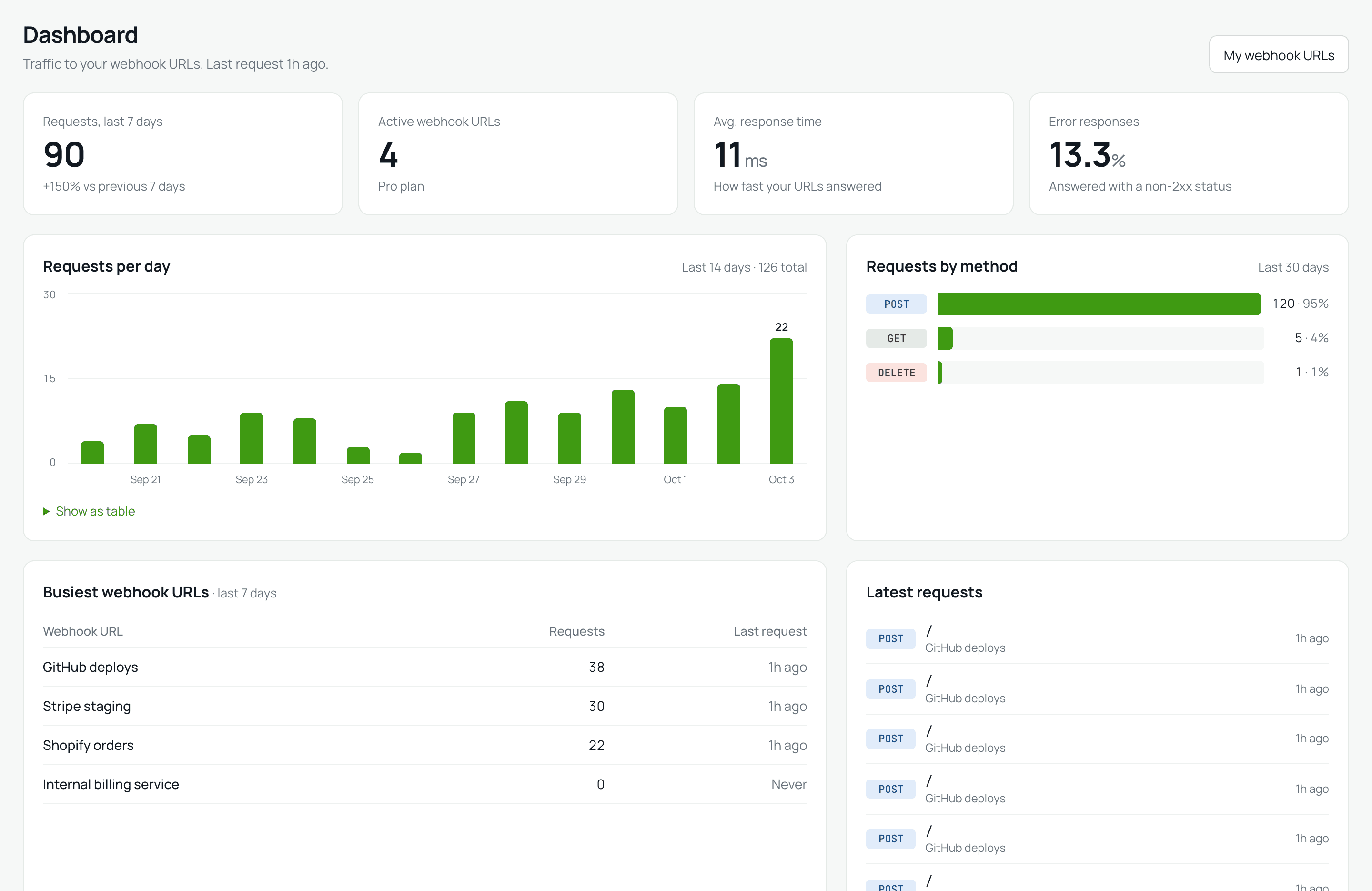
A dashboard for everything your URLs received: requests per day, response times, error rate, the busiest URLs and the latest requests, so you spot a problem before it becomes one.

  • Requests per day, last 14 days
  • Response time and error rate
  • Busiest URLs and latest requests
The 27Webhook dashboard: request totals, a 14-day requests chart, requests by method, the busiest webhook URLs and the latest requests.

A simple event loop

From “where did it go?”
to “there it is.”

One clear flow for creating a receiver, listening for traffic and seeing the full request.

  1. 01

    Create

    Generate a receiver URL. No account needed to start.

  2. 02

    Listen

    Point your webhook provider at it and send an event.

  3. 03

    Inspect

    See headers, query and body the moment it lands.

  4. 04

    Replay

    Send the request again to your own server.

A receiver that gets out of the way

One URL.
More visibility.

Drop a 27Webhook URL into your integration in seconds. Send traffic from Stripe, GitHub, Shopify or your own app and inspect the raw request without building a receiver first.

  • No SDK requiredAny HTTP method, any path, any body.
  • Works with every senderStripe, GitHub, Shopify and custom apps.
  • Useful from the first requestHeaders, body, query, status and timing.
POST /events LIVE
curl -X POST \
  https://app.webhook.27communication.com/hook/9f2c4e1a-7b3d-4c8e-a1f0-5d6e2b9c3a71 \
  -H "Content-Type: application/json" \
  -H "X-Signature: whsec_..." \
  -d '{"event": "checkout.completed", "attempt": 1}'
Request captured200 OK · 42 ms

Ready for a receiver?

Start with a URL.
Keep your flow moving.

Create a receiver in seconds and test any sender for free. When your URLs need to stick around, our team sets you up on Pro.

See common questions

Free

$0

Try webhooks without paying.

  • Webhook URLs expire after 7 days
  • Up to 3 webhook URLs at a time
  • Inspect, search, replay and customise responses
Create an endpoint

Pro

MOST POPULAR

$9/ month

Keep your webhook URLs as long as you need them.

  • Webhook URLs never expire while subscribed
  • Unlimited webhook URLs
  • Everything in Free
Talk to sales

Answers, without the runaround

Questions before
your first event?

We made setup intentionally straightforward. Here are the answers people ask first.

What is 27Webhook?

A webhook receiver and request inspector. Create a URL, send traffic to it, and see the full request arrive in real time. No SDK or server setup required.

How do I test a webhook?

Create a webhook URL, paste it into your provider (Stripe, GitHub, Shopify or your own app), send a test event and inspect the request while you build.

Does 27Webhook forward requests?

Not automatically. It captures and shows each request, and you can replay any captured request, with the same method, headers and body, to a URL you choose, such as your staging server or a tunnel to your machine.

How long are my webhook URLs kept?

On Free, a webhook URL lasts 7 days and you can have 3 at a time. On Pro they never expire while your subscription is active, and there is no limit.

Do I need an account?

No. You can create webhook URLs right away; they stay in your browser. Register to keep them on your account and use them from anywhere.

Who can see my requests?

Only you. Anyone can send requests to your URL, but only its owner can open the inspector and read what arrived.

How do I get Pro?

Use “Talk to sales” to tell us what you need. Our team reviews every request and activates Pro on your account once it is approved.

The next event is yours

Give every webhook a place to land.

Start with a single receiver URL. Leave with a clearer request.